

Long Lasting Clock
How do I display a clock and a break message on Apple TV?
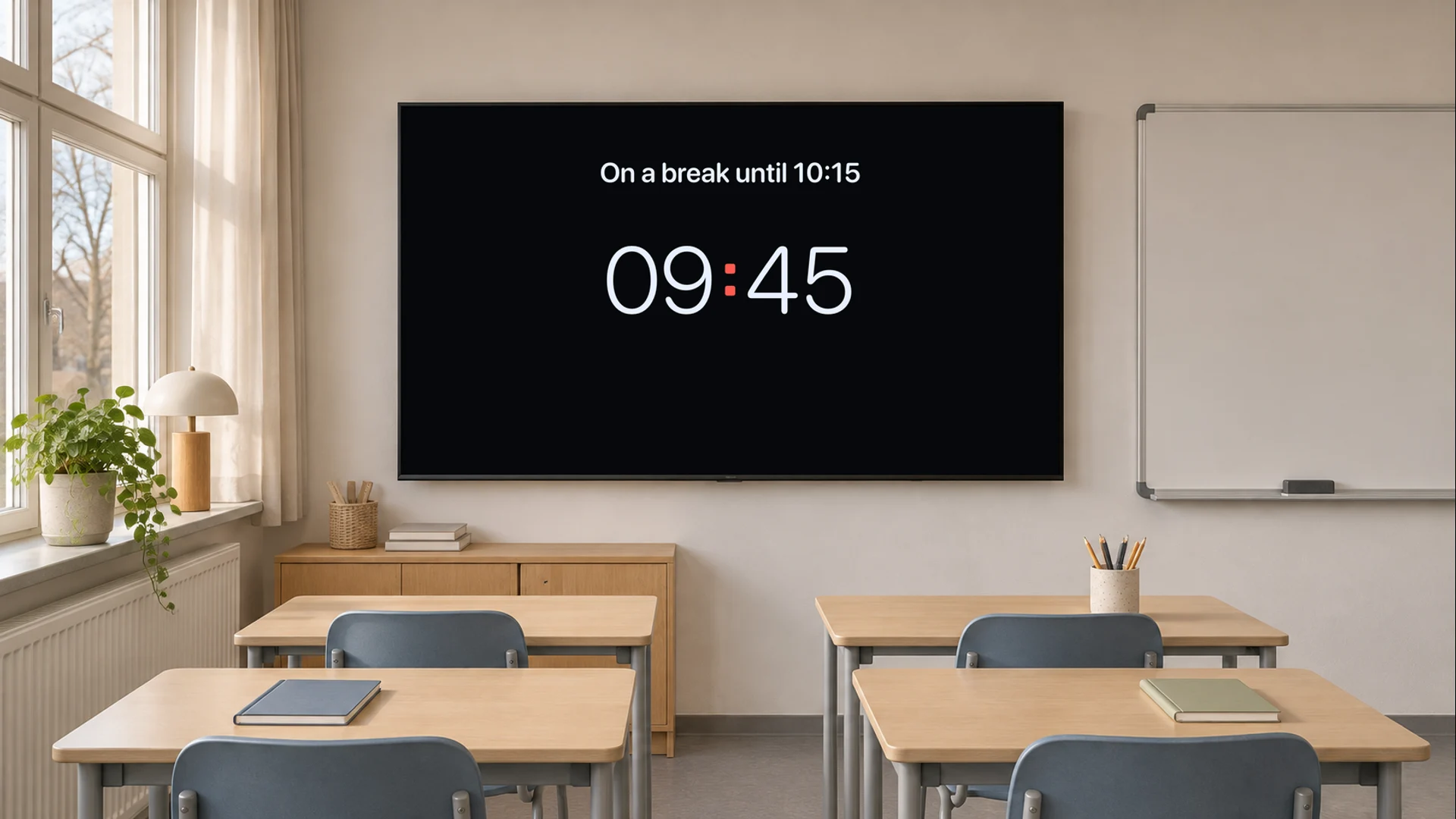
Open Long Lasting Clock on an Apple TV running tvOS 17 or later. You can display the current time and a message such as On a break until 10:15 for free.
Set up the break screen
 Long Lasting Clock
- Open the app and press a direction on the remote to show the controls.
- Select Personal Message and enter the time the group should return. The message appears automatically.
- Close settings and press Play/Pause to hide the controls. Check that the message is readable from the back row.
Clock Pro adds controls for the message size, font and color. If you present using AirPlay, switch back to the clock app when the break starts. Apple TV controls and setup
Other Apple TV display options
- A clock between uses. On Apple TV 4K (2nd generation or later), the Portraits screen saver can show a clock over photos when the device is idle. Look under Settings → Screen Saver. Apple’s screen saver guide
- Instructions for joining a presentation. Conference Room Display shows AirPlay connection details and lets you add a message for visitors. Apple’s Conference Room Display guide